.png)
Fee Availability
Fees availability and payment occur during specific parts of the Permitting process, depending on your Jurisdiction’s practices. This action almost never occurs during the Application process, and almost always occurs after a Request has been successfully submitted and accepted by your Jurisdiction.
How do I know when I will be charged Fees?
To see when in the process you might be charge fees, you can reference the Requirements for your specific Project by following the instructions in this article: See the Permit Process Step by Step
Navigate to the MGOconnect Customer Portal
-
Go to mgoconnect.org
-
Choose Customer Portal
-
Select your state and Jurisdiction
-
Login with your credentials
-
Select "Dashboard" at the top of the page
-
Open the Permit Project
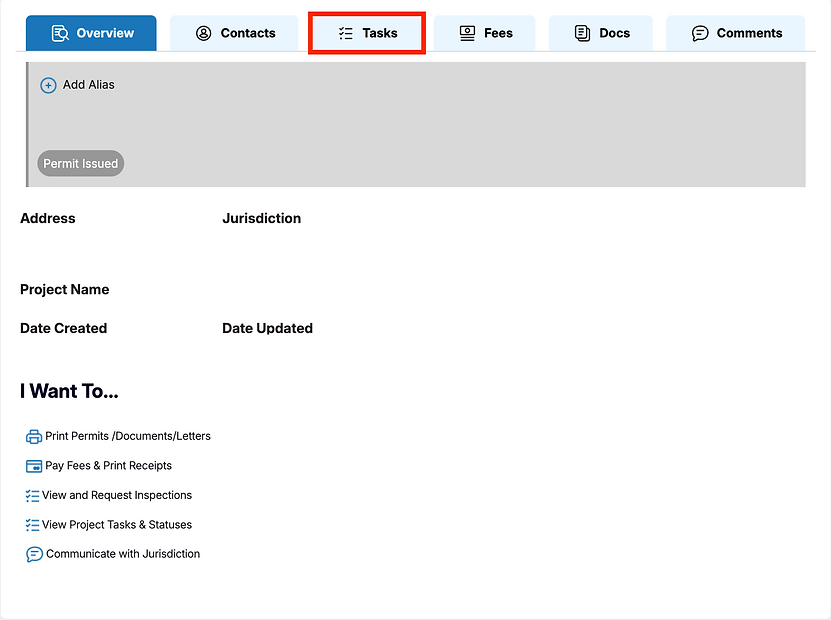
Step #1 - Tasks
Open the "Tasks" tab on the Project Page
Step #2 - Requirements
Choose "Requirements" > Expand All Requirements

Step #3 - See the Process
Here, you can reference all the steps it will take to complete your Permit process, including when the fees are made available by your Jurisdiction (“Fees Added” stage in the below example)
Note: It is important to note that payment of fees may not guarantee the immediate issuance of a Permit. Please check your Project Requirements for more insight.

What if a Fee is Unavailable to Pay?
If a Fee is unavailable for you to pay, it is likely because you are not at the correct part of the process yet, or your Jurisdiction has not added the correct fee yet. Referencing the available information in the “Tasks” tab as described above will provide insight.